Before You Start
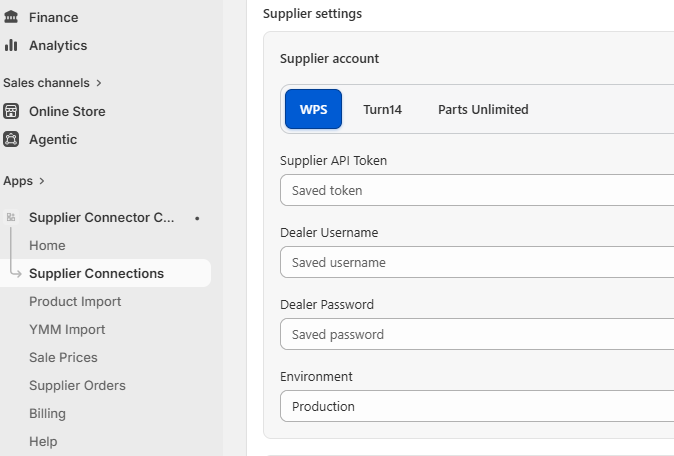
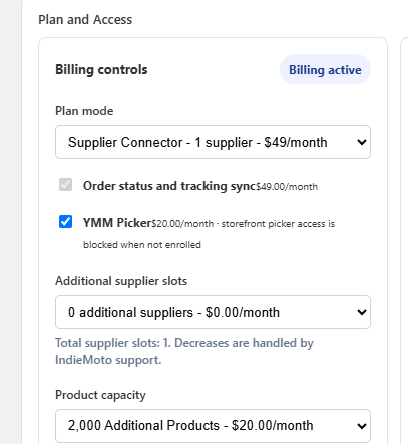
- The Shopify app must be installed and connected for the store.
- The app proxy must be configured as /apps/indie-moto-ymm.
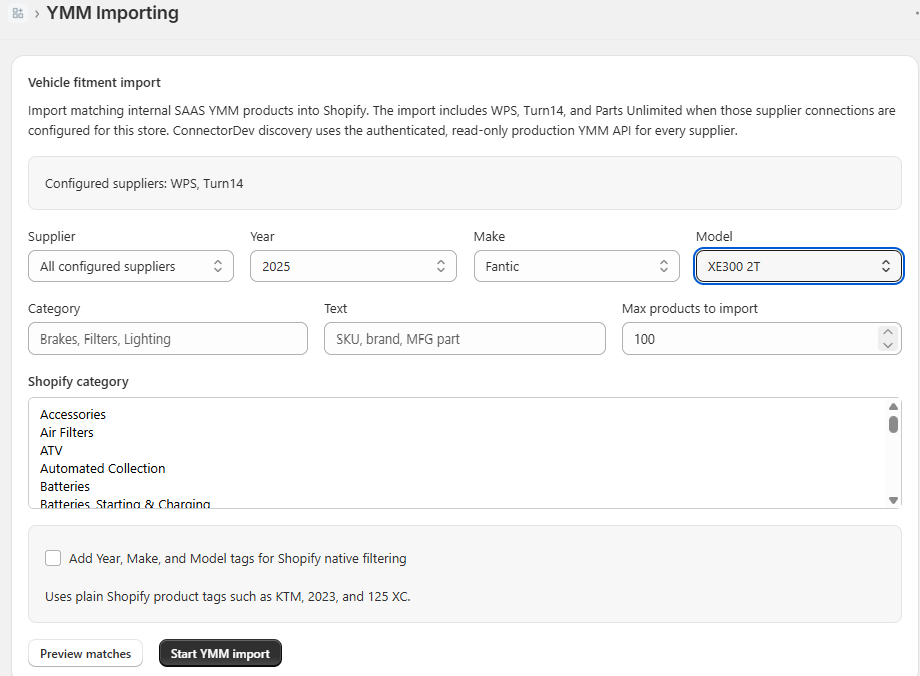
- Products must be imported through the Supplier Connector so the YMM database can connect fitment rows to Shopify products.
Step 1: Create a Results Page
- Log in to Shopify Admin.
- Go to Online Store → Pages.
- Create a page named Parts Finder Results.
- Set the page URL handle to parts-finder-results.
Step 2: Open the Theme Editor
- Log in to Shopify Admin.
- Go to Online Store → Themes.
- Click Customize on the active theme.
- Open the template where the finder should appear, usually the home page, a collection page, or a custom landing page.
Step 3: Add Custom Liquid Sections
- In the left sidebar, click Add section or Add block.
- Select Custom Liquid.
- Place one block where shoppers should start the parts search.
- Open the Parts Finder Results page template and place a second Custom Liquid block where products should appear.
Step 4: Paste the YMM Finder Code
Paste this same code into both Custom Liquid editors. The finder block redirects shoppers to /pages/parts-finder-results after Year, Make, and Model are selected. The results page block reads the URL and displays the matching product cards. The variables at the top can be adjusted per store without changing the script.
{% assign indie_ymm_api_path = '/apps/indie-moto-ymm' %}
{% assign indie_ymm_api_origin = 'https://saas.indie-moto.com' %}
{% assign indie_ymm_shop = shop.permanent_domain %}
{% assign indie_ymm_limit = 60 %}
{% assign indie_ymm_results_path = '/pages/parts-finder-results' %}
<div id="indie-ymm-finder">
<h2 class="indie-ymm-heading">Parts Finder</h2>
<div data-selected class="indie-ymm-selected" hidden></div>
<div class="indie-ymm-controls">
<label>
<span>Year</span>
<select data-year><option value="">Select year</option></select>
</label>
<label>
<span>Make</span>
<select data-make disabled><option value="">Select make</option></select>
</label>
<label>
<span>Model</span>
<select data-model disabled><option value="">Select model</option></select>
</label>
<button type="button" data-clear>Clear</button>
</div>
<button type="button" data-change class="indie-ymm-change" hidden>Change vehicle</button>
<div data-summary class="indie-ymm-summary"></div>
<div class="indie-ymm-results-shell" data-results-shell hidden>
<aside class="indie-ymm-filters" data-filters>
<label class="indie-ymm-filter-search">
<span>Search results</span>
<input type="search" data-filter-search placeholder="Search SKU, brand, title">
</label>
<div class="indie-ymm-filter-group" data-category-group hidden>
<div class="indie-ymm-filter-title">Categories</div>
<div data-category-filters class="indie-ymm-filter-options"></div>
</div>
<div class="indie-ymm-filter-group" data-tag-group hidden>
<div class="indie-ymm-filter-title">Tags</div>
<div data-tag-filters class="indie-ymm-filter-options"></div>
</div>
<button type="button" data-clear-filters class="indie-ymm-filter-clear">Clear filters</button>
</aside>
<div data-results class="indie-ymm-results"></div>
</div>
</div>
<style>
#indie-ymm-finder {
--im-red: #d71920;
--im-black: #111;
--im-border: #ddd;
--im-muted: #666;
--im-bg: #fff;
--im-soft: #f6f6f6;
margin: 2.5rem 0;
padding: 1.5rem;
background: var(--im-bg);
border: 2px solid var(--im-black);
border-radius: 12px;
}
.indie-ymm-heading {
margin: 0 0 1.25rem;
font-size: clamp(1.6rem, 2.5vw, 2.4rem);
font-weight: 800;
letter-spacing: 0;
text-transform: uppercase;
color: var(--im-black);
}
.indie-ymm-controls {
display: grid;
grid-template-columns: repeat(4, 1fr);
gap: .9rem;
align-items: end;
}
.indie-ymm-controls label {
display: grid;
gap: .4rem;
margin: 0;
}
.indie-ymm-controls label span {
font-size: .78rem;
font-weight: 800;
text-transform: uppercase;
letter-spacing: .08em;
color: var(--im-black);
}
.indie-ymm-controls select,
.indie-ymm-controls button {
min-height: 48px;
width: 100%;
border: 2px solid var(--im-black);
border-radius: 8px;
background: #fff;
color: var(--im-black);
font: inherit;
font-weight: 700;
padding: .65rem .85rem;
}
.indie-ymm-controls select:disabled {
opacity: .45;
background: var(--im-soft);
}
.indie-ymm-controls button {
background: var(--im-black);
color: #fff;
cursor: pointer;
text-transform: uppercase;
letter-spacing: .05em;
}
.indie-ymm-controls button:hover {
background: var(--im-red);
border-color: var(--im-red);
}
.indie-ymm-summary {
min-height: 1.5rem;
margin: 1rem 0;
color: var(--im-muted);
font-weight: 700;
}
.indie-ymm-selected {
margin: 0 0 1rem;
color: var(--im-black);
font-size: clamp(1.25rem, 2vw, 1.8rem);
font-weight: 800;
line-height: 1.2;
}
.indie-ymm-change {
min-height: 42px;
margin: 0 0 1rem;
border: 2px solid var(--im-black);
border-radius: 8px;
background: #fff;
color: var(--im-black);
cursor: pointer;
font: inherit;
font-weight: 800;
padding: .55rem .85rem;
text-transform: uppercase;
letter-spacing: .05em;
}
#indie-ymm-finder.indie-ymm-results-mode .indie-ymm-heading {
margin-bottom: .35rem;
}
#indie-ymm-finder.indie-ymm-results-mode .indie-ymm-controls {
display: none;
}
#indie-ymm-finder.indie-ymm-results-mode.indie-ymm-editing .indie-ymm-controls {
display: grid;
}
.indie-ymm-results {
display: grid;
grid-template-columns: repeat(auto-fill, minmax(170px, 1fr));
gap: 2rem 1rem;
align-items: start;
}
.indie-ymm-results-shell {
display: grid;
grid-template-columns: minmax(190px, 250px) minmax(0, 1fr);
gap: 1.5rem;
align-items: start;
}
.indie-ymm-filters {
display: grid;
gap: 1rem;
padding: 1rem;
border: 2px solid var(--im-black);
border-radius: 10px;
background: #fff;
}
.indie-ymm-filter-search {
display: grid;
gap: .45rem;
margin: 0;
}
.indie-ymm-filter-search span,
.indie-ymm-filter-title {
font-size: .78rem;
font-weight: 800;
text-transform: uppercase;
letter-spacing: .08em;
color: var(--im-black);
}
.indie-ymm-filter-search input {
min-height: 44px;
width: 100%;
border: 2px solid var(--im-black);
border-radius: 8px;
background: #fff;
color: var(--im-black);
font: inherit;
padding: .55rem .75rem;
}
.indie-ymm-filter-group {
display: grid;
gap: .55rem;
}
.indie-ymm-filter-options {
display: grid;
gap: .35rem;
max-height: 18rem;
overflow: auto;
}
.indie-ymm-filter-option {
display: flex;
align-items: center;
gap: .45rem;
color: var(--im-black);
font-size: .92rem;
line-height: 1.25;
cursor: pointer;
}
.indie-ymm-filter-option input {
flex: 0 0 auto;
}
.indie-ymm-filter-count {
color: var(--im-muted);
font-size: .82rem;
}
.indie-ymm-filter-clear {
min-height: 40px;
border: 2px solid var(--im-black);
border-radius: 8px;
background: #fff;
color: var(--im-black);
cursor: pointer;
font: inherit;
font-weight: 800;
padding: .5rem .75rem;
text-transform: uppercase;
letter-spacing: .05em;
}
.indie-ymm-filter-clear:hover {
background: var(--im-black);
color: #fff;
}
.indie-ymm-card {
display: grid;
grid-template-rows: auto auto;
overflow: hidden;
border: 0;
border-radius: 0;
background: transparent;
color: var(--im-black);
text-decoration: none;
transition: opacity .15s ease;
}
.indie-ymm-card:hover {
opacity: .82;
}
.indie-ymm-media {
aspect-ratio: 1.08 / 1;
display: flex;
align-items: center;
justify-content: center;
overflow: hidden;
background: #fff;
border: 0;
border-radius: 10px 10px 0 0;
}
.indie-ymm-media img {
width: 100%;
height: 100%;
object-fit: contain;
display: block;
padding: 0;
}
.indie-ymm-card-body {
display: grid;
gap: .65rem;
min-height: 9.5rem;
padding: 1.65rem 1.25rem;
background: #f1f1f1;
border-radius: 0 0 14px 14px;
}
.indie-ymm-title {
font-size: .95rem;
font-weight: 500;
line-height: 1.2;
}
.indie-ymm-meta {
color: var(--im-black);
font-size: 1.05rem;
font-weight: 400;
}
.indie-ymm-action {
display: none;
}
.indie-ymm-empty {
color: var(--im-muted);
font-weight: 700;
}
@media (max-width: 749px) {
#indie-ymm-finder {
padding: 1rem;
}
.indie-ymm-controls {
grid-template-columns: 1fr;
}
.indie-ymm-results-shell {
grid-template-columns: 1fr;
}
}
</style>
<script>
(() => {
const config = {
apiPath: {{ indie_ymm_api_path | json }},
apiOrigin: {{ indie_ymm_api_origin | json }},
shop: {{ indie_ymm_shop | json }},
limit: {{ indie_ymm_limit | json }},
resultsPath: {{ indie_ymm_results_path | json }}
};
const root = document.getElementById("indie-ymm-finder");
if (!root) return;
const yearEl = root.querySelector("[data-year]");
const makeEl = root.querySelector("[data-make]");
const modelEl = root.querySelector("[data-model]");
const clearEl = root.querySelector("[data-clear]");
const changeEl = root.querySelector("[data-change]");
const selectedEl = root.querySelector("[data-selected]");
const summaryEl = root.querySelector("[data-summary]");
const resultsShellEl = root.querySelector("[data-results-shell]");
const resultsEl = root.querySelector("[data-results]");
const filterSearchEl = root.querySelector("[data-filter-search]");
const categoryGroupEl = root.querySelector("[data-category-group]");
const tagGroupEl = root.querySelector("[data-tag-group]");
const categoryFiltersEl = root.querySelector("[data-category-filters]");
const tagFiltersEl = root.querySelector("[data-tag-filters]");
const clearFiltersEl = root.querySelector("[data-clear-filters]");
const pageParams = new URLSearchParams(window.location.search);
const selectedVehicle = {
year: pageParams.get("ymm_year") || "",
make: pageParams.get("ymm_make") || "",
model: pageParams.get("ymm_model") || ""
};
const selectedFilters = {
q: pageParams.get("ymm_q") || "",
category: pageParams.get("ymm_category") || "",
tag: pageParams.get("ymm_tag") || ""
};
const normalizePath = (value) => String(value || "").replace(/\/+$/, "") || "/";
const isResultsPath = normalizePath(window.location.pathname) === normalizePath(config.resultsPath);
const hasSelectedVehicle = Boolean(
selectedVehicle.year && selectedVehicle.make && selectedVehicle.model
);
const isResultsPage = isResultsPath && hasSelectedVehicle;
let yearsLoaded = false;
if (!isResultsPage) {
resultsShellEl.hidden = true;
} else {
root.classList.add("indie-ymm-results-mode");
root.querySelector(".indie-ymm-heading").textContent = "Parts Finder Results";
filterSearchEl.value = selectedFilters.q;
}
const buildUrl = (base, params) => {
const url = new URL(base, window.location.origin);
url.searchParams.set("shop", config.shop);
Object.entries(params).forEach(([key, value]) => {
if (value) url.searchParams.set(key, value);
});
return url;
};
const fetchJson = async (url, options = {}) => {
const res = await fetch(url.toString(), options);
const contentType = res.headers.get("content-type") || "";
if (!res.ok || !contentType.includes("application/json")) {
throw new Error("YMM response was not JSON");
}
return res.json();
};
const getJson = async (params) => {
if (config.apiOrigin) {
try {
return await fetchJson(buildUrl(config.apiOrigin + "/api/ymm", params));
} catch (_error) {
return fetchJson(buildUrl(config.apiPath, params), {
credentials: "same-origin"
});
}
}
return fetchJson(buildUrl(config.apiPath, params), {
credentials: "same-origin"
});
};
const escapeHtml = (value) => String(value || "")
.replace(/&/g, "&")
.replace(/</g, "<")
.replace(/>/g, ">")
.replace(/"/g, """);
const debounce = (fn, delay = 350) => {
let timer;
return (...args) => {
clearTimeout(timer);
timer = setTimeout(() => fn(...args), delay);
};
};
const setUrlFilterParams = () => {
if (!isResultsPage) return;
const url = new URL(window.location.href);
const params = {
ymm_q: selectedFilters.q,
ymm_category: selectedFilters.category,
ymm_tag: selectedFilters.tag
};
Object.entries(params).forEach(([key, value]) => {
if (value) {
url.searchParams.set(key, value);
} else {
url.searchParams.delete(key);
}
});
window.history.replaceState({}, "", url.toString());
};
const fill = (select, values, label, selectedValue = "") => {
select.innerHTML = '<option value="">' + label + '</option>';
values.forEach((value) => {
const option = document.createElement("option");
option.value = value;
option.textContent = value;
if (String(value) === String(selectedValue)) {
option.selected = true;
}
select.appendChild(option);
});
};
const redirectToResults = () => {
if (!yearEl.value || !makeEl.value || !modelEl.value) return;
const url = new URL(
isResultsPath ? window.location.pathname : config.resultsPath || window.location.pathname,
window.location.origin,
);
url.searchParams.set("ymm_year", yearEl.value);
url.searchParams.set("ymm_make", makeEl.value);
url.searchParams.set("ymm_model", modelEl.value);
if (selectedFilters.q) url.searchParams.set("ymm_q", selectedFilters.q);
if (selectedFilters.category) url.searchParams.set("ymm_category", selectedFilters.category);
if (selectedFilters.tag) url.searchParams.set("ymm_tag", selectedFilters.tag);
window.location.href = url.toString();
};
const selectedLabel = () => [yearEl.value, makeEl.value, modelEl.value]
.filter(Boolean)
.join(" ");
const updateResultsHeader = () => {
if (!isResultsPage || !selectedEl) return;
const label = selectedLabel();
selectedEl.hidden = !label;
selectedEl.textContent = label ? "Showing parts for " + label : "";
if (changeEl) {
changeEl.hidden = !label;
}
};
const renderFacetOptions = (container, group, values, selectedValue) => {
const options = (values || []).slice(0, 60);
group.hidden = !options.length;
container.innerHTML = options.map((option) => {
const label = option.label || "";
const count = option.count || 0;
const checked = String(label) === String(selectedValue) ? " checked" : "";
return '<label class="indie-ymm-filter-option">' +
'<input type="checkbox" value="' + escapeHtml(label) + '"' + checked + '>' +
'<span>' + escapeHtml(label) + '</span>' +
'<span class="indie-ymm-filter-count">(' + count + ')</span>' +
'</label>';
}).join("");
};
const renderFacets = (facets = {}) => {
renderFacetOptions(
categoryFiltersEl,
categoryGroupEl,
facets.categories || [],
selectedFilters.category
);
renderFacetOptions(
tagFiltersEl,
tagGroupEl,
facets.tags || [],
selectedFilters.tag
);
};
const loadYears = async ({ cascadeSelected = true, quiet = false } = {}) => {
try {
if (!quiet) {
summaryEl.textContent = "Loading vehicle years...";
}
const data = await getJson({ intent: "years" });
yearsLoaded = true;
fill(yearEl, data.years || [], "Year", selectedVehicle.year);
if (!quiet) {
summaryEl.textContent = "";
}
if (!data.years || !data.years.length) {
summaryEl.textContent = "No YMM years found for this store.";
}
if (cascadeSelected && selectedVehicle.year) {
await loadMakes({ keepSelected: true });
}
updateResultsHeader();
} catch (error) {
console.error("YMM years failed", error);
summaryEl.textContent = "YMM finder could not load years. Check the API settings.";
}
};
const loadMakes = async ({ keepSelected = false } = {}) => {
fill(makeEl, [], "Make");
fill(modelEl, [], "Model");
makeEl.disabled = true;
modelEl.disabled = true;
summaryEl.textContent = "";
resultsEl.innerHTML = "";
renderFacets({});
updateResultsHeader();
if (!yearEl.value) return;
summaryEl.textContent = "Loading makes...";
const data = await getJson({ intent: "makes", year: yearEl.value });
fill(makeEl, data.makes || [], "Make", keepSelected ? selectedVehicle.make : "");
makeEl.disabled = false;
summaryEl.textContent = data.makes?.length ? "" : "No makes found for that year.";
if (keepSelected && selectedVehicle.make) {
await loadModels({ keepSelected: true });
}
};
const loadModels = async ({ keepSelected = false } = {}) => {
fill(modelEl, [], "Model");
modelEl.disabled = true;
summaryEl.textContent = "";
resultsEl.innerHTML = "";
renderFacets({});
updateResultsHeader();
if (!yearEl.value || !makeEl.value) return;
summaryEl.textContent = "Loading models...";
const data = await getJson({
intent: "models",
year: yearEl.value,
make: makeEl.value
});
fill(modelEl, data.models || [], "Model", keepSelected ? selectedVehicle.model : "");
modelEl.disabled = false;
summaryEl.textContent = data.models?.length ? "" : "No models found for that year and make.";
if (keepSelected && selectedVehicle.model && isResultsPage) {
await loadProducts();
}
};
const loadProducts = async () => {
if (!isResultsPage) {
redirectToResults();
return;
}
resultsShellEl.hidden = false;
resultsEl.innerHTML = "";
summaryEl.textContent = "Finding matching products...";
if (!yearEl.value || !makeEl.value || !modelEl.value) return;
updateResultsHeader();
const data = await getJson({
intent: "products",
year: yearEl.value,
make: makeEl.value,
model: modelEl.value,
limit: config.limit,
q: selectedFilters.q,
category: selectedFilters.category,
tag: selectedFilters.tag
});
const products = data.products || [];
const total = data.totalCount || products.length;
const filtered = data.count ?? products.length;
summaryEl.textContent = filtered === total
? (filtered === 1 ? "1 matching product" : filtered + " matching products")
: filtered + " of " + total + " matching products";
renderFacets(data.facets || {});
resultsEl.innerHTML = products.map((product) => {
const image = product.imageUrl
? '<img src="' + escapeHtml(product.imageUrl) + '" alt="' + escapeHtml(product.imageAlt || product.title) + '">'
: "";
const price = product.price ? escapeHtml(product.price + " USD") : "";
const meta = price || (product.sku ? "SKU " + escapeHtml(product.sku) : "");
return '<a class="indie-ymm-card" href="' + escapeHtml(product.url || "#") + '">' +
'<span class="indie-ymm-media">' + image + '</span>' +
'<span class="indie-ymm-card-body">' +
'<span class="indie-ymm-title">' + escapeHtml(product.title) + '</span>' +
(meta ? '<span class="indie-ymm-meta">' + meta + '</span>' : '') +
'<span class="indie-ymm-action">View product</span>' +
'</span>' +
'</a>';
}).join("");
if (!products.length) {
resultsEl.innerHTML = '<p class="indie-ymm-empty">No products found for this vehicle.</p>';
}
};
yearEl.addEventListener("change", loadMakes);
makeEl.addEventListener("change", loadModels);
modelEl.addEventListener("change", loadProducts);
filterSearchEl.addEventListener("input", debounce(() => {
selectedFilters.q = filterSearchEl.value.trim();
setUrlFilterParams();
loadProducts();
}));
categoryFiltersEl.addEventListener("change", (event) => {
const input = event.target.closest("input");
if (!input) return;
selectedFilters.category = input.checked ? input.value : "";
setUrlFilterParams();
loadProducts();
});
tagFiltersEl.addEventListener("change", (event) => {
const input = event.target.closest("input");
if (!input) return;
selectedFilters.tag = input.checked ? input.value : "";
setUrlFilterParams();
loadProducts();
});
clearFiltersEl.addEventListener("click", () => {
selectedFilters.q = "";
selectedFilters.category = "";
selectedFilters.tag = "";
filterSearchEl.value = "";
setUrlFilterParams();
loadProducts();
});
if (changeEl) {
changeEl.addEventListener("click", () => {
root.classList.toggle("indie-ymm-editing");
if (root.classList.contains("indie-ymm-editing") && !yearsLoaded) {
loadYears({ cascadeSelected: false, quiet: true });
}
changeEl.textContent = root.classList.contains("indie-ymm-editing")
? "Hide search"
: "Change vehicle";
});
}
clearEl.addEventListener("click", () => {
yearEl.value = "";
fill(makeEl, [], "Make");
fill(modelEl, [], "Model");
makeEl.disabled = true;
modelEl.disabled = true;
summaryEl.textContent = "";
resultsEl.innerHTML = "";
renderFacets({});
resultsShellEl.hidden = !isResultsPage;
selectedFilters.q = "";
selectedFilters.category = "";
selectedFilters.tag = "";
filterSearchEl.value = "";
setUrlFilterParams();
if (selectedEl) {
selectedEl.hidden = true;
selectedEl.textContent = "";
}
if (changeEl) {
changeEl.hidden = true;
changeEl.textContent = "Change vehicle";
}
root.classList.remove("indie-ymm-editing");
});
if (isResultsPage) {
fill(yearEl, [selectedVehicle.year], "Year", selectedVehicle.year);
fill(makeEl, [selectedVehicle.make], "Make", selectedVehicle.make);
fill(modelEl, [selectedVehicle.model], "Model", selectedVehicle.model);
makeEl.disabled = false;
modelEl.disabled = false;
updateResultsHeader();
loadProducts();
} else {
loadYears();
}
})();
</script>
Step 5: Save and Test
- Click Save in the Shopify theme editor.
- Open the storefront page where the block was added.
- Select a Year, then Make, then Model.
- Confirm the browser opens the results page and product cards link to the correct Shopify product pages.
How It Works
The finder calls the app proxy at /apps/indie-moto-ymm. The connector searches the global fitment database, filters results to products imported for that Shopify store, and returns product titles, URLs, images, SKUs, and supplier information. The finder page passes the selected vehicle to the results page with URL parameters. On password-protected Shopify stores, the snippet can fall back to the configured API origin.
API path: /apps/indie-moto-ymm
API fallback: https://saas.indie-moto.com/api/ymm
Shop value: {{ shop.permanent_domain }}
Troubleshooting
The Year dropdown is empty
- Confirm the app proxy has been deployed to Shopify.
- Confirm products have been imported through the connector.
- Confirm the store has YMM fitment rows in the database.
Products do not appear after selecting a vehicle
- The selected vehicle may not match any imported Shopify products yet.
- The matching supplier item may exist in the YMM database but not be imported into that Shopify store.
- Re-import or sync the product, then test the same vehicle again.
Product Page Fitment
For a single product page, Shopify metafields can display that product's local fitment list. Use this when you want compatibility shown directly on a product detail page.
Product Fitment Step 1: Open a Product Template
- Log in to Shopify Admin.
- Go to Online Store → Themes.
- Click Customize on the active theme.
- Open a Product page template.
Product Fitment Step 2: Add a Custom Liquid Block
- In the product template sidebar, click Add block.
- Select Custom Liquid.
- Drag the block near the product description or specifications.
Product Fitment Step 3: Paste the Metafield Code
Paste this code into the Custom Liquid block. It reads fitment from Shopify product metafields populated by the connector.
{% assign fitment = product.metafields.custom.fitment.value %}
{% assign fitment_count = product.metafields.custom.fitment_count.value %}
{% assign stored_count = product.metafields.custom.fitment_stored_count.value %}
{% if fitment != blank %}
<div class="product-fitment">
<h3>Fitment</h3>
{% if fitment_count != blank %}
<p>
Showing {{ stored_count | default: fitment.size }} of {{ fitment_count }}
compatible vehicles.
</p>
{% endif %}
<ul>
{% for vehicle in fitment %}
<li>
{{ vehicle.year }}
{{ vehicle.make }}
{{ vehicle.model }}
{% if vehicle.submodel %} {{ vehicle.submodel }}{% endif %}
{% if vehicle.engine %} - {{ vehicle.engine }}{% endif %}
{% if vehicle.notes %} - {{ vehicle.notes }}{% endif %}
</li>
{% endfor %}
</ul>
</div>
{% endif %}Product Fitment Step 4: Save and Test
- Click Save in the Shopify theme editor.
- Open a product imported through the Supplier Connector.
- Confirm the product page shows compatible vehicles below the product information.
Product Fitment Metafields
The Supplier Connector stores product-page fitment in Shopify metafields:
- custom.fitment - vehicle fitment data displayed on the product page.
- custom.fitment_count - total fitment records available from the supplier.
- custom.fitment_stored_count - number of fitment records successfully stored in Shopify.
Why Counts Can Differ
Shopify metafields have storage limits. If a product has a very large fitment list, the connector may store fewer rows in Shopify than the total available from the supplier.
Total fitments from supplier: 1,245
Fitments stored in Shopify: 500
Product Fitment Troubleshooting
No fitment appears on the product page
- The product must be imported through the Supplier Connector.
- The product must have a custom.fitment metafield.
- The Custom Liquid block must be added to the correct product template.
- The theme changes must be saved.
Fitment list seems incomplete
Compare custom.fitment_count to custom.fitment_stored_count. If the stored count is lower, Shopify's metafield size limit was reached. Use the database-backed YMM finder for broader searching.